
Create a private chat room in about a minute
To create a private chat room on Talklio, go to talklio.app/new, type your name and a password, add the people you want to invite with a password each, and share the link you get. Nobody needs an account or phone number. Everyone gets a private chat with you, you can add group rooms, every message is end-to-end encrypted, and messages delete themselves after 24 hours.
Most of us have a few conversations that don't belong in the family WhatsApp group or in a DM thread that lives forever. A trip with a couple of friends. A surprise party. A chat with someone you've just met and aren't ready to give your number to. That's what a private chat room is for: a small room, for people you choose, that nobody else can find.
Talklio lets you make one in your browser. Here's exactly what you get and how to set it up.
What you get
- A room only your people can enter. It's opened by a private link, and each person also has their own password.
- No sign-up for anyone. No phone number, email or account. You pick the names.
- End-to-end encryption. Messages, photos, files and voice notes are scrambled on the phone before they're sent. We can't read them.
- Messages that clean themselves up. Everything is deleted 24 hours after it's sent.
- Private chats and group rooms. Everyone gets a one-to-one chat with you, and you can make groups for the people you pick.
- Free. No ads, no trial, no paid tier.
How to create your chat room
- Go to talklio.app/new.
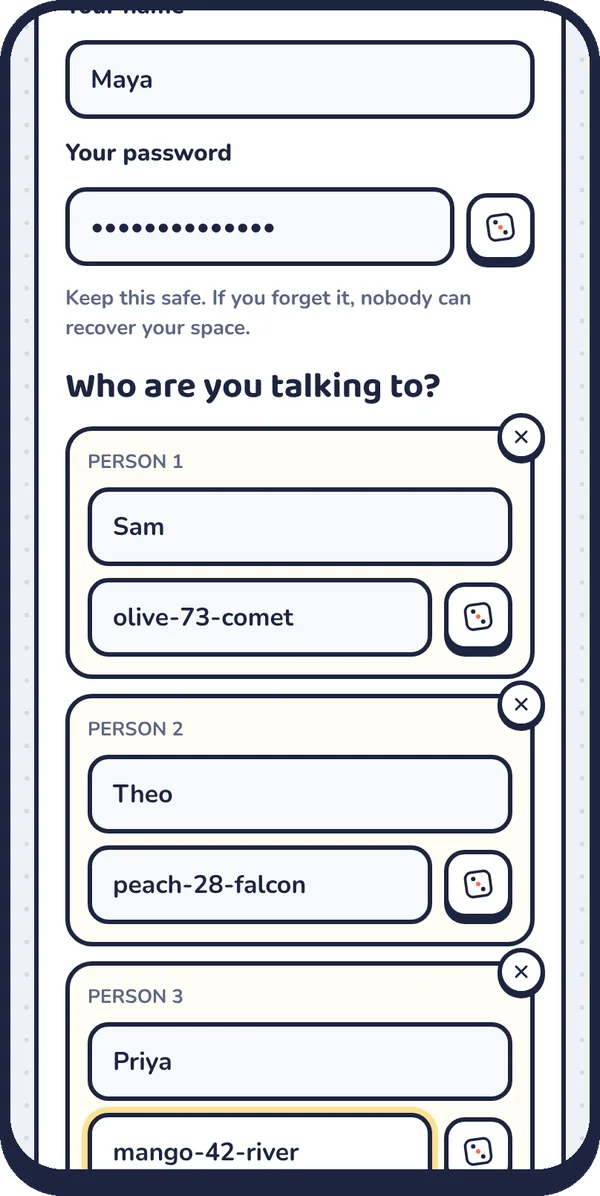
- Type your name and a password for yourself. Keep that password safe, because there's no reset. Only you hold the key.
- Add the people you want to invite. Give each one a name and a password. Tap the dice if you want an easy one like
mango-42-river. - Tick the box to confirm you're 18 or over and tap Create my space.
You'll get one link for the whole room and a ready-made invite for each person.
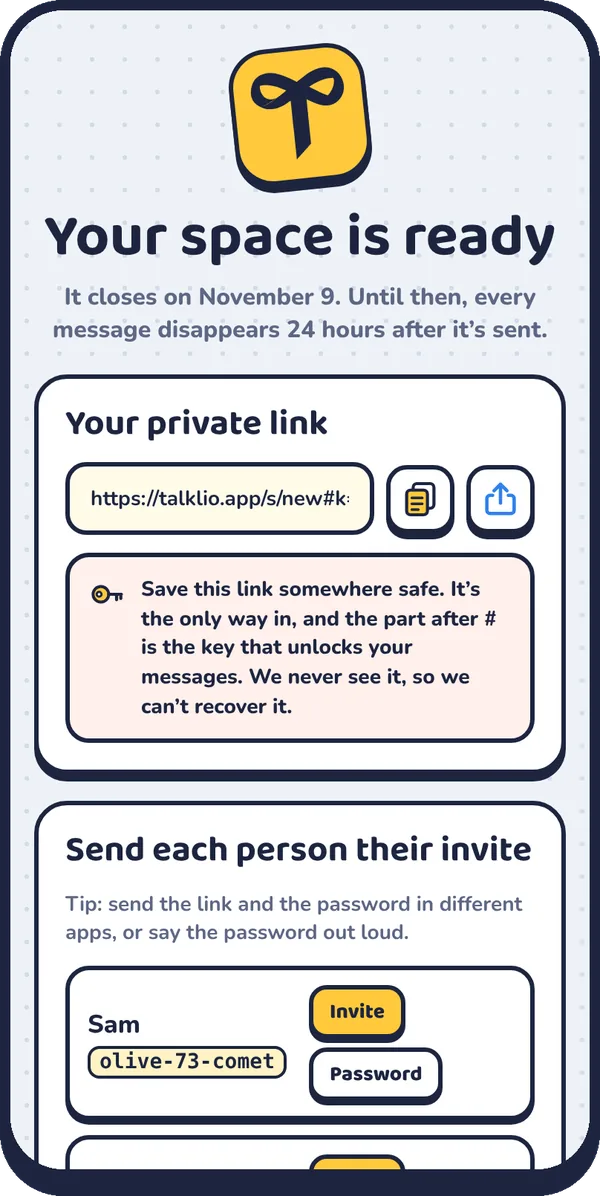
- Send the link to your people, and send each person their password somewhere else. A different app, a text, or just say it out loud.
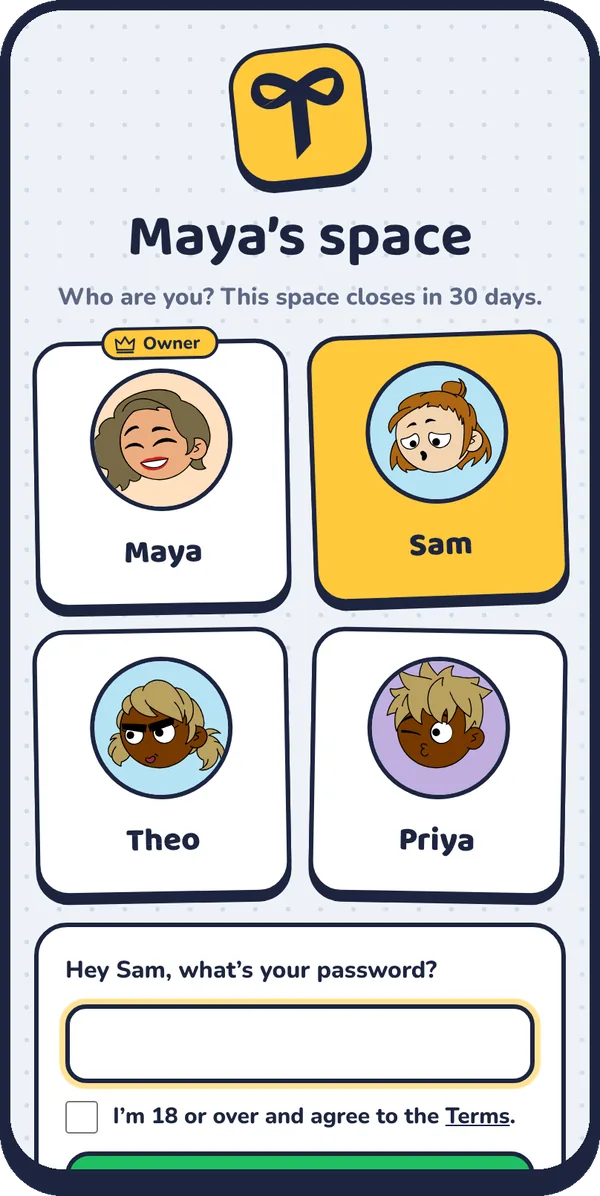
When they open the link, they tap their name, type their password and they're in. Nothing to download.
Who can actually get into the room?
Only people who have both the full link and a password you created. Here's why that matters:
- The room can't be found. It isn't listed, searchable or linked from anywhere. There's no directory of rooms.
- The link alone isn't enough. Without a password, someone with the link only sees the names on the door.
- Guessing doesn't work. After a few wrong passwords, that name locks for a while, and logins are rate-limited.
- You stay in charge. You can remove anyone at any time, and their private chat with you is deleted on the spot.
To be clear about what Talklio isn't: it's not a public chat room or a place to meet strangers. There are no open rooms and no random matching. It's for people you already know, or have chosen to talk to.
One-to-one chats, or a group room
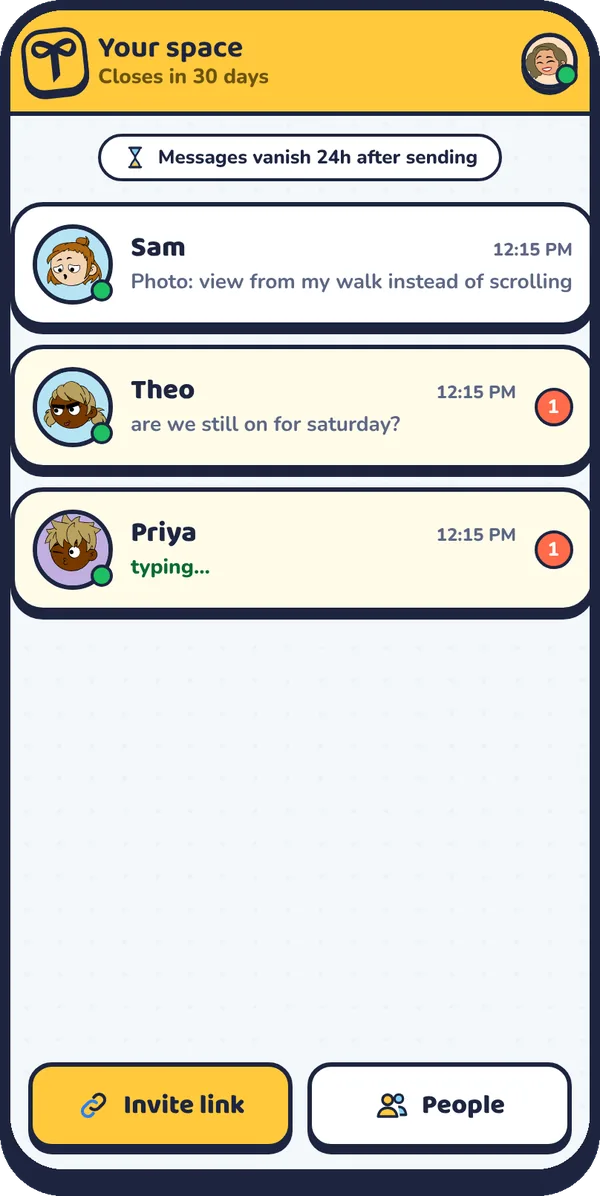
When people join, each one gets a private chat with you. Sam can't see what you say to Priya, and Priya can't see Sam's chat.
When you want everyone together, tap Group in your inbox, give it a name and tick who should be in it. Group rooms work like the groups you're used to: names above messages, "Theo is typing…", and a double tick once everyone has read your message. You can add or remove people, rename the group or delete it, and guests can leave whenever they like. Someone added later only sees what's said after they join. There's more on that in our guide to group chats without sharing phone numbers.
What you can do inside
It feels like any decent messenger, so nobody needs a tutorial:
- Text, emoji, photos, files up to 15 MB and voice notes
- GIFs, stickers and link previews
- Replies (swipe a message to the right), reactions and highlights
- Read receipts and typing indicators
- Voice and video calls in one-to-one chats
- Notifications if you add Talklio to your home screen
The full list, with screenshots, is on the features page.
How long does the room last?
Every message disappears 24 hours after it's sent, for everyone, and nobody can switch that off. The room itself lasts 30 days. If you want it to keep going, renew it for another 30 days from the Renew button or your settings. Talklio reminds you before it closes.
If you let it run out, the room closes and you get 7 days to change your mind. After that, the whole room is deleted: every name, password and message, and the link stops working. If you're done sooner, you can delete it yourself at any time.
Before you pick any chat room site, check these five things
Whether you use Talklio or something else, these questions tell you quickly whether a "private" room is actually private:
- Can someone get in with just the link? If yes, anyone the link gets forwarded to can read everything.
- Is it end-to-end encrypted? If not, the company running it can read your messages.
- How long are messages kept? "Private" means little if every message sits on a server for years.
- What does it need from you? A phone number or email ties the room back to your real identity.
- Who can remove people? You want the person who made the room to be able to shut someone out instantly.
We built Talklio to give good answers to all five. Our security page shows exactly what our server stores, including a real example.
When a Talklio chat room isn't the right fit
- You want to keep the history. Messages are gone after 24 hours. For a long-running family group, use a regular messenger.
- You need group calls. Calls are one-to-one for now.
- You want to meet new people. Talklio has no public rooms or stranger chat, on purpose.
- You're under 18. Talklio is for adults only.
Frequently asked questions
Is it really free to create a private chat room?
Yes. Creating a room, inviting people, messaging, groups, files and calls are all free. There are no ads and no paid plan.
Do the people I invite need to sign up or download an app?
No. They open your link in any browser, tap their name and type the password you gave them. They can add Talklio to their home screen if they want it to feel like an app.
How many people can be in one chat room?
As many as you need. There's no small cap, though we keep a safety limit of 1,000 people per room to stop abuse.
Can I create a group chat room as well as one-to-one chats?
Yes. As the owner, tap Group in your inbox, name it and pick who's in it. Group messages are end-to-end encrypted like everything else.
Can Talklio read the messages in my chat room?
No. Messages are encrypted on your device with a key that lives in your link after the # sign, and browsers never send that part to a server. We only store scrambled data, and we delete it after 24 hours.
What happens if someone forwards the link?
They still need a password to get in. If you think a link has spread too far, you can reset passwords, remove people, or delete the room and make a new one in a minute.